My Recording Process
I use Reason Studio’s DAW for all of my recording. I’ve tried Ableton’s Live, and will sometimes revisit it or use it to record possible guitar riffs, but actual recordings, including audio tracks, are done in Reason. It features a vast array of patch options and is fully programmable. On top of that, its control board can be automated like an actual recording studio. Discovering that digital recording technology had reached this level of sophistication was the tipping point that convinced me I could get my music created to my satisfaction.
Patch Selection
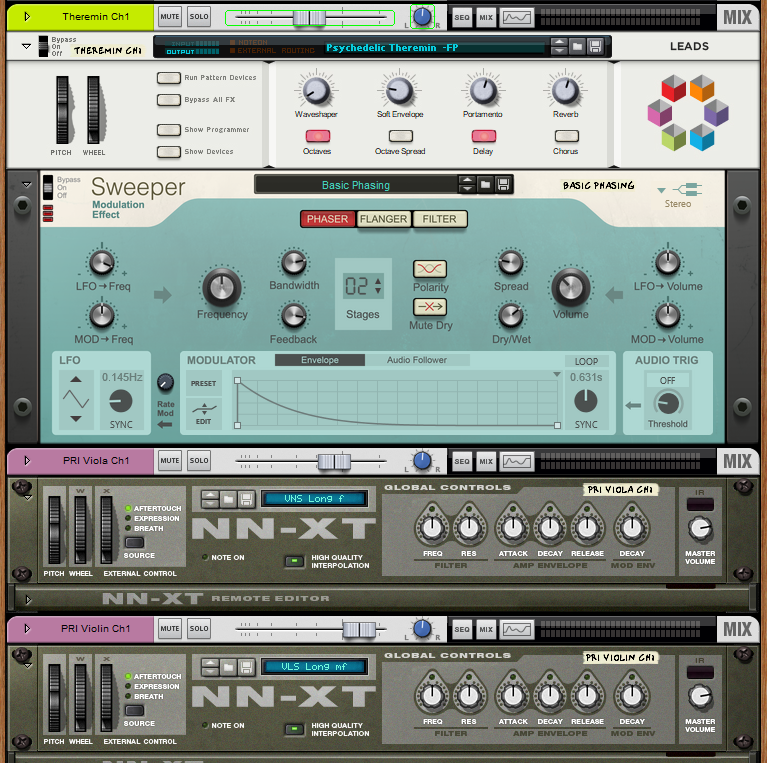
Reason comes up with a wide variety of instruments, effects, and sound banks you can use. In addition, you can go out and get add-ons or additional compatible patches to enhance your sounds. I did this with a couple of banks of orchestral instruments.
Each instrument comes in a variety as well. I can use fretless, fingered, or picked bass sounds; I can use short, medium, or long tones for string instruments, so I can add nuance to my orchestral pieces; and there’s a wide variety of keyboard settings.
Once you set up a patch the way you like it, you can save it out and load it back in on another song. I have three different preset “drum kits”, one for ballads, one for pop, and one for rock, so I’m not always out looking to rebuild my sound bank.
When I first load a song into Reason from my MIDI file, patch selection is the first thing I do, so that I can finally hear the programmed instrumentation the way I will likely hear it. Often that will lead me to decide that there might be something missing, a part, a sound, anything, and I’ll go back and add it in before moving forward.
I’ll then see if any of the patches I’ve loaded need changing. I do a lot of swapping out of piano and organ patches especially. Some songs need a church organ, some need electric instead of grand piano. Pretty much any instrument you might think of is present and available.
Audio Recordings
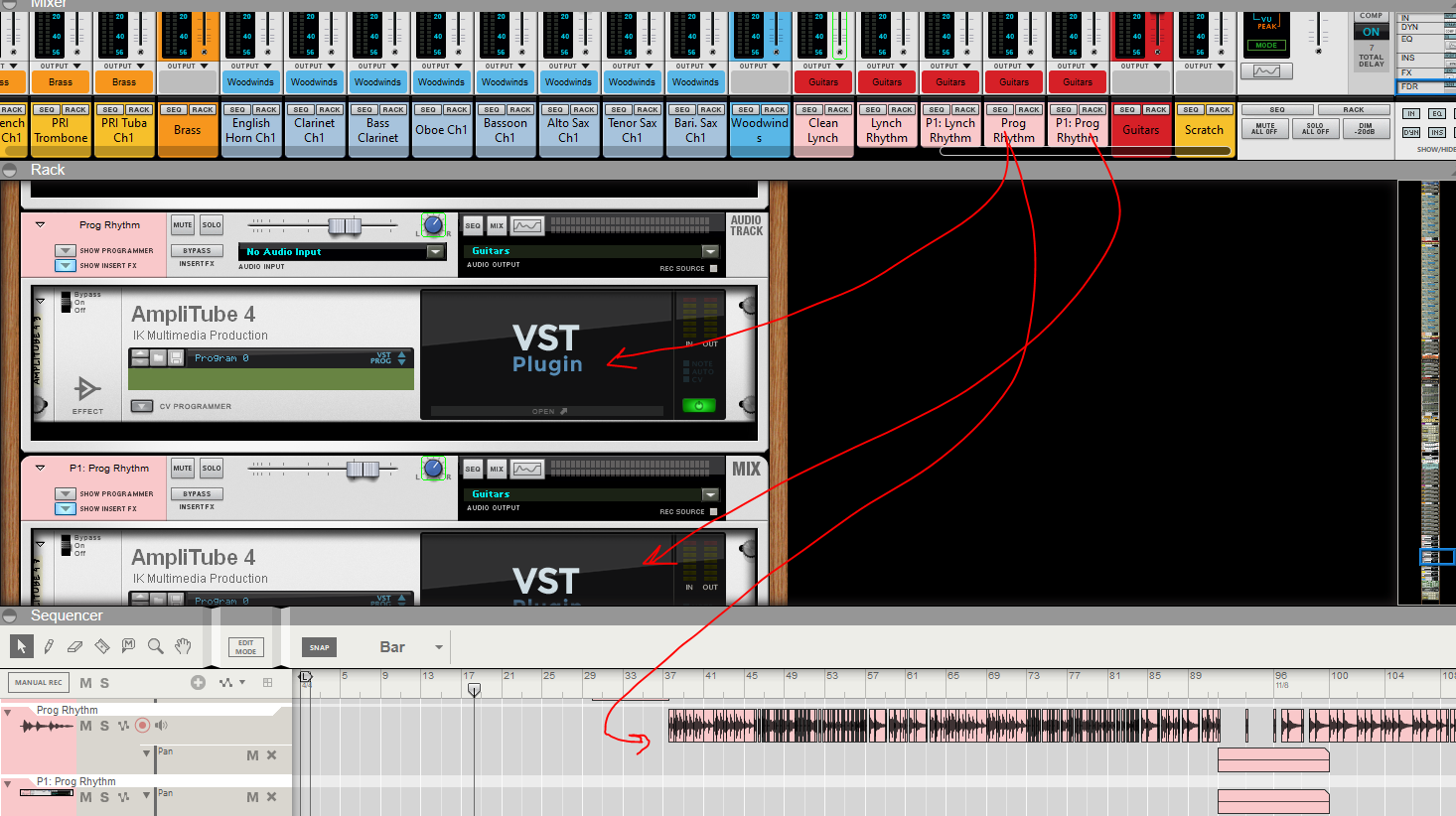
I use a USB audio interface, a Focusrite Scarlett 2i2, to record acoustic, electric, and bass guitars. It plugs directly into my computer and allows Reason to record audio direct from the interface. There may be other software that might provide a higher quality audio output, but doing this directly in Reason works for me and keeps things simple.
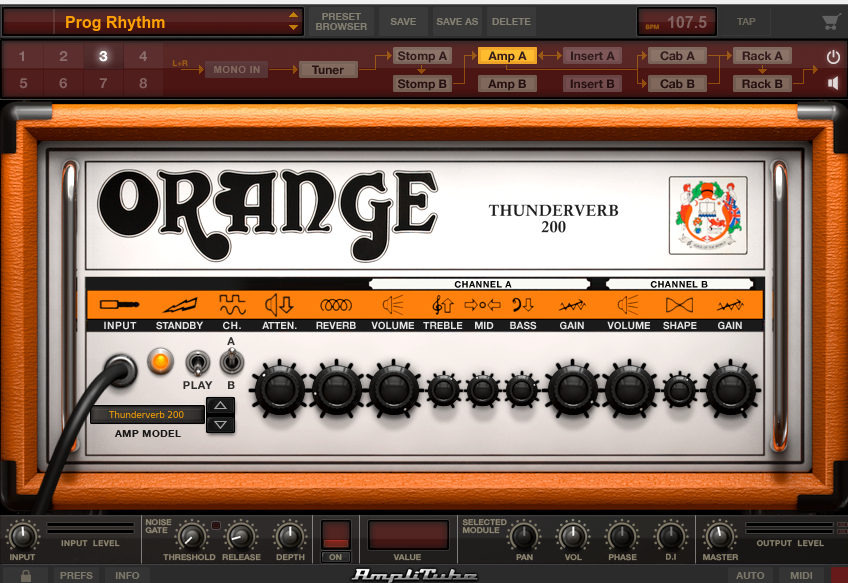
I use an amplifier simulator called Amplitube to handle amplification. Amplitube is a fully featured amp and effects modeler. One of things I will often do, in particular on tracks with distortion, is run parallel channels, with one amp set up with distortion, and the second clean, to get better clarity on the overall tone of notes.
Within Amplitube, you can model different amps, different cabinets, a wide variety of effects pedals, and then save them out as presets that you can then load later on different tracks. Along with DAW technology, my discovery of amplifier modeling software helped convince me I could do this.
Lastly, when guitar passages are too difficult for me to play, I will often slow the tempo down in Reason to make them easier to do so. On analog tape, tempo changes actually affect pitch, but digitally, this is not the case. So while I can’t actually play that tumbling introductory run at the start of On Scarlet Wings, I could compose it, and then adjust the software as necessary to make it sound like I hoped it would sound.
Effects
Reason comes with a full suite of effects, and supports ones built by other companies, such as Amplitube. Delay, chorus, flanger, reverb, phaser, distortion, amplifier modelers, transformers (I use one of these to get the vinyl “scratch” effect on Extended Melancholia), compressors, equalizers, and so many more. It can be hard sometimes to not dump all the possibilities onto a track, but over time I’ve learned that a little less can go a long way. In particular, compression and reverb can be applied globally to the entire output, which sometimes is better than trying to manage it on each individual track.
Channel Management
Reason has a feature called parallel channels. This allows me to take my output and place into two separate channels with the same input, and then apply different effects and other settings independently, which I then can combine later into a single output bus for mixing.
I use this technique a lot, but where I get the most benefit is in my drum tracks.
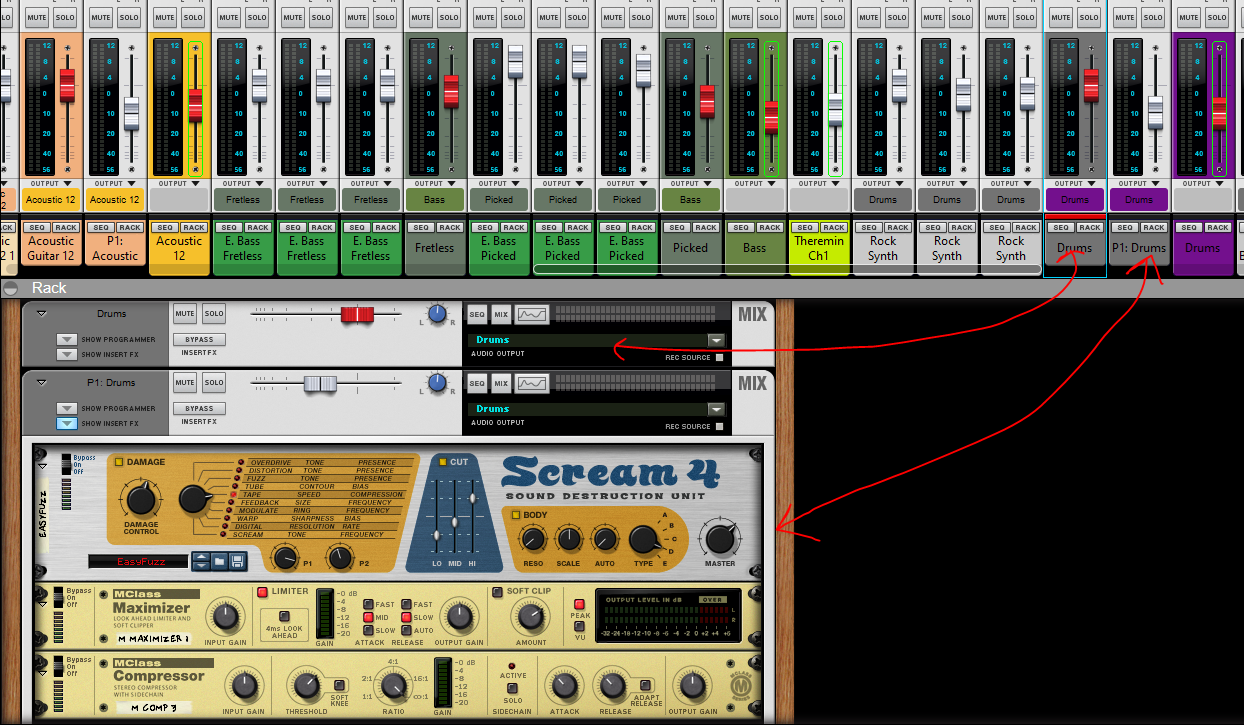
I never want to lose the natural sound of my patches, but without an effects, they can sound dry. This is especially true of percussion.
Using parallel channels allows me to have one, primary drum channel clean, and a second, with distortion, and tight compression/maximization. While on its own, this channel sounds like the inside of a tin can, the effect in can when mixed in with the clean channel is substantial, given it depth and sense of dimension a clean drum track lacks.
In other cases, I will apply one set of effects to one channel of an acoustic guitar, and another set of effects to a parallel channel, and then mix those, allowing me to have multiple delay settings, and varied reverb, if I feel it needs it.
Automation
Everything that’s native in Reason can be automated. It’s super straightforward, and can help create a ton of nuance. I’ve used it to pan Theremins from the right to left ear and back repeatedly for strange echo effects, and I’ve used it to fade out tracks or adjust tempo as the track plays. It’s one of the coolest things about DAWs in the digital age.
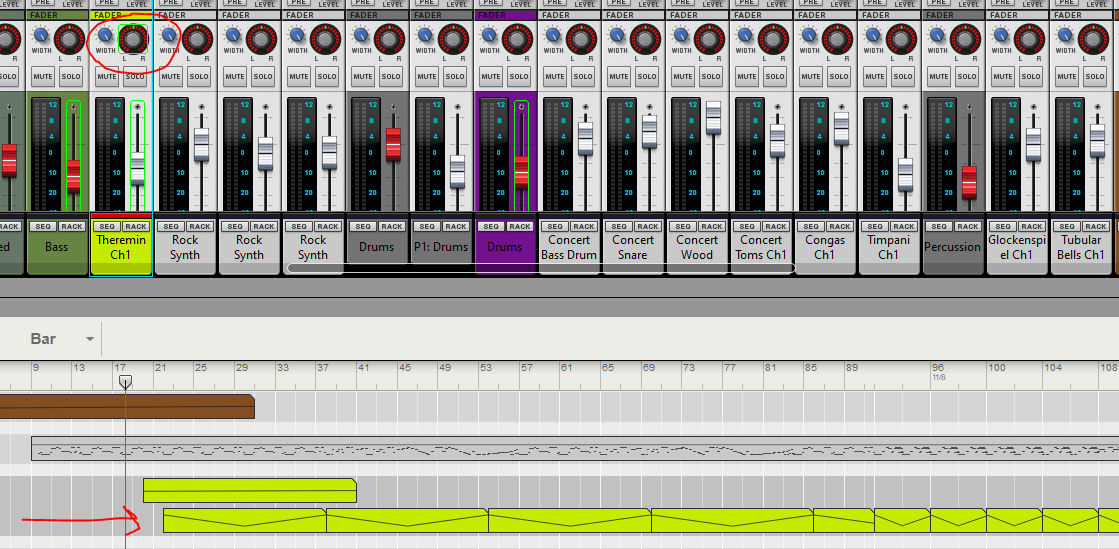
Here’s a list of many of the automation use cases I’ve used.
- Dynamic panning
- I will often pan instruments, quickly or slowly, from left to right for certain impacts. I already mentioned the Theremin. I might do this for guitar tracks with multiple parallel channels.
- When instruments have more than one track assigned, such as solo violin, or have multiple parallel channels for effects purposes, I will pan them 25% to the right or left away from each other for a little clarity
- Instruments switching from duality to a solo I will pan back into the middle during the solo
- Volume Adjustments
- Slightly lowering guitar harmonies behind solos
- Bringing up instruments or sections at critical parts
- Adjusting when notes are slightly louder or softer than expected
- Crescendos
- Rises and Fades
- Ends of notes, especially in solos
- Slowly increasing volume during an intro
- Fading out entire song
- Enabling/Disabling Effects
- At stops, shutting off delays or reverbs when necessary
- Adding or removing chorus or other effects, similar to a player stepping on a pedal
- Tempo Changes
- Song tempos change
- Slowing down the song as it comes to end
- Time Signature Changes
Be welcome and true.
 Rob Hope