How I Create My Music
I create all of my music in the upstairs loft of my house. That’s my studio.
I have some distinctive steps I use throughout my music composing process, each with some very specific purposes. There are not that many tools out that I am familiar with that can do everything I need, and I am familiar with what I have, and use that to the best of my ability. If you are new to digital recording and would like to see how I do things so that you might one day also create the music you love, then this content is for you.
I will also take this time to spell out a significant caveat within my productions. I am by no means a good guitar player; I am serviceable. That said, I can compose solos that I could never play, and as a result, during this process I will refer to techniques I use to achieve the solos I do even though I could never play them live. But, I don’t do this to play live, I do this to produce the music I hear in my head. I don’t personally see it as any different than authoring piano parts I could never play, or authoring drum tracks I could never play, and I certainly can’t play any orchestral instrument other than basic clarinet. So judge that as you will.
I use Tunecore to publish my music out to various streaming channels and Apple Music. The subscription plans are affordable, and the turnaround time is excellent. It took about 4 days for Servings of Sadness to appear in iTunes and Spotify after I uploaded the album content to their portal.
Software I Use:
- Noteflight – an online music notation portal that I use for early drafts in my ideation phase
- Notion – desktop music notation software that I use to finalize drafts and set up guitar tabulature for recording
- Reason Studio – a digital audio workstation, my primary software for recording, mixing, and mastering my music
- Amplitube – guitar amplifier modeler and simulation software that I use as the amplifier for my guitar parts
- Ableton Live – a digital audio workstation, that I occasionally use to record guitar parts for later
- Adobe Photoshop PS2 – desktop image generation software that I use for cover art
Hardware I Use:
- Focusrite Scarlett 2i2 – a USB audio interface, I plug my guitars into this to record directly into Reason
Online Services:
- Tunecore – an online music publishing portal that I use to publish to Spotify, Apple, Amazon, YouTube, and other streaming services
- Dreamstime – an online image subscription service where I get free use photos for my cover art
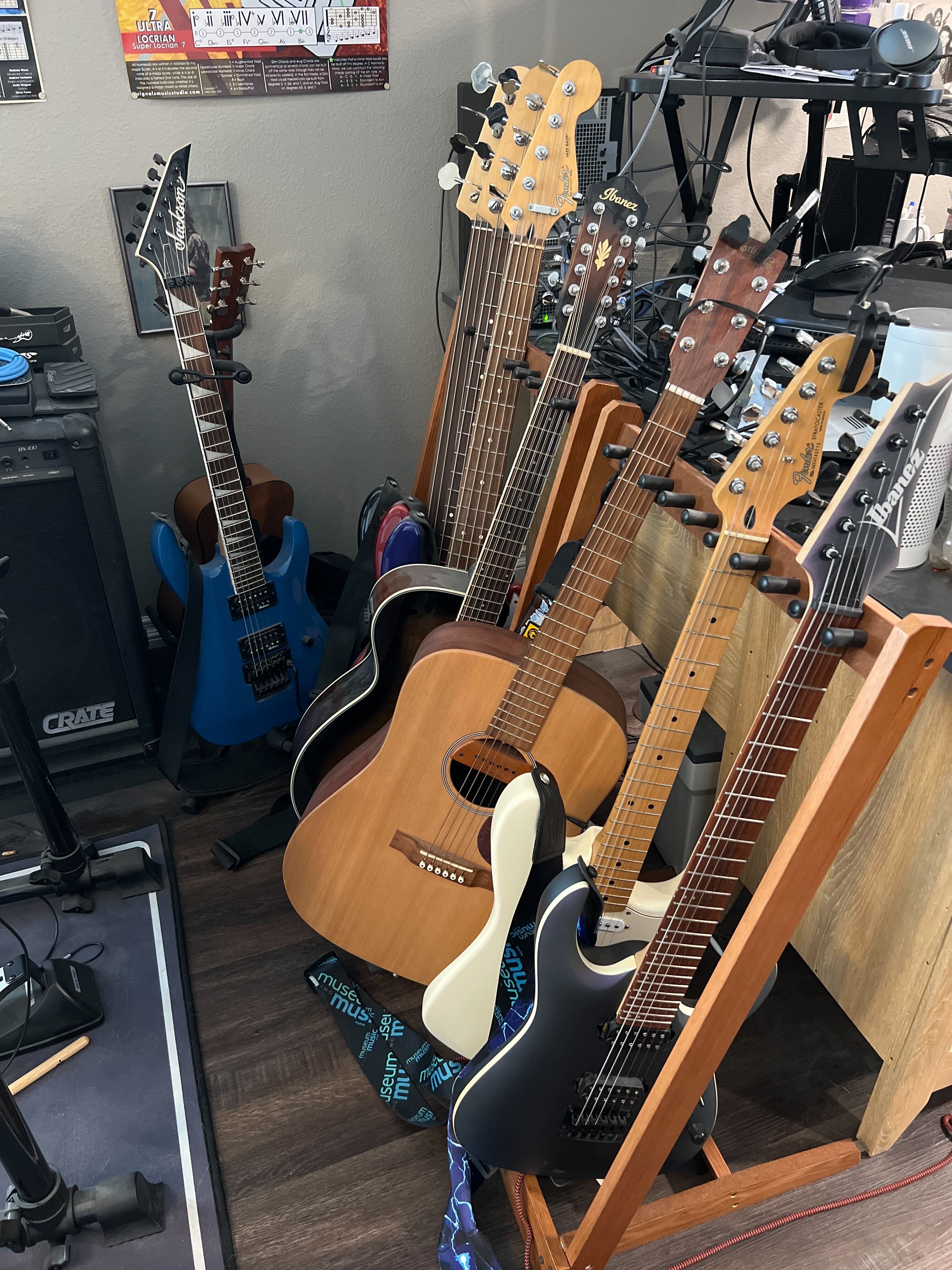
My Instruments:
- Electric Guitars
- Fender Stratocaster
- Ibanez RGA
- Jackson JS32
- Acoustic Guitars
- Ibanez 12 string
- Yamaha 6 string
- Basses
- Fender J Bass, 4 string
- Fender J Bass, 5 string
- Fender J Bass, fretless
Select from one of the following to learn more:
Some Typical Instrumentation Choices
Be welcome and true.
 Rob Hope